Wednesday, February 22, 2012
Register  |  Login


  • Wi-Fi Installation

    Mondrian Cityplace

    24/7 Internet Access for the Public Areas

    Visit the Showcase

  • Wi-Fi Installation

    Mondrian Cityplace Club Room

    Visit the Showcase

  • Wi-Fi Installation

    Mondrian Cityplace "Zen Garden"

    Visit the Showcase

  • Wi-Fi Installation

    Mondrian Cityplace Pool

    Visit the Showcase

  • Wi-Fi Installation

    Trianon Pool

    802.11 b/g Internet Access

    Visit the Showcase

  • Wi-Fi Installation

    Trianon Pool

    Visit the Showcase

  • Wi-Fi Installation

    Trianon Pool

    Internet Connection 24/7

    Visit the Showcase

  • Wi-Fi Installation

    Trianon "Cyber Cafe"

    Visit the Showcase

  • Wi-Fi Installation

    Trianon Courtyard

    Visit the Showcase

  • Wi-Fi Installation

    Fairfield Inn & Suites Dallas North

    Meraki 802.11n Wireless Access Points

    Visit the Showcase

  • Wi-Fi Installation

    Fairfield Inn & Suites Dallas North

    Breakfast Room - 802.11n Dual-Radio, Dualband, Access Point

    Visit the Showcase

  • Wi-Fi Installation

    Fairfield Inn & Suites Dallas North

    Lobby - 802.11n Dual-Radio, Dualband, Access Point

    Visit the Showcase

  • Wi-Fi Installation

    Fairfield Inn & Suites Dallas North

    1st Floor Coverage Prediction

    Visit the Showcase

  • Wi-Fi Installation

    Pavestone Company

    802.11a Wireless Bridges

    Visit the Showcase

  • Wi-Fi Installation

    Pavestone Main Building

    802.11a Root Bridges

    Visit the Showcase

  • Wi-Fi Installation

    Pavestone Plant 1

    802.11a Bridge

    Visit the Showcase

  • Wi-Fi Installation

    Pavestone Block Building

    Power Injector (typical)

    Visit the Showcase

  • Wi-Fi Installation

    Pavestone Machine Shop

    802.11a Bridge

    Visit the Showcase

  • Wi-Fi Installation

    Pavestone Bagging Plant

    802.11a Bridge

    Visit the Showcase

  • Wi-Fi Installation

    Pavestone Block Plant

    802.11a Bridge

    Visit the Showcase

  • Wi-Fi Installation

    Pavestone Bagging Plant

    Legacy Bridge Removal

    Visit the Showcase

  • Wi-Fi Installation - Airport Bridges

    Airport Bridges Layout

    Two Wireless Bridges Installed

    Visit the Showcase

  • Wi-Fi Installation - Airport Bridges

    Main Building Installation

    802.11g Root Bridge for the Hanger Expansion

    Visit the Showcase

  • Wi-Fi Installation - Airport Bridges

    Hanger Expansion

    Clear Line of Sight from the Main Building to the New Hanger Space

    Visit the Showcase

  • Wi-Fi Installation - Airport Bridges

    Hanger Bridge Installation

    Cisco 802.11b/g Outdoor Bridge with Integrated Antenna

    Visit the Showcase

  • Wi-Fi Installation - Airport Bridges

    Dual Bridge Installation on Engineering Building

    One of Two 802.11b/g Non-Root Bridges

    Visit the Showcase

  • Wi-Fi Installation - Airport Bridges

    Installation Complete!

    802.11b/g Non-Root Bridge

    Visit the Showcase


 RHO Wireless Mesh Solutions

Mesh Network
   - Enterprise Cloud Controller
   - Enterprise Access Points
      - MR12
      - MR16
      - MR24
      - MR58
      - MR62
      - MR66
   - Enterprise Routers

Virtual Private Network (VPN)

WiFi Hot Zones

What is a Wireless Mesh Network?


Experience Cloud Networking


Start Live Cloud Controller Demo on the Meraki Web Site

Download the MX60 Enterprise series router datasheet

Download MX70 Enterprise series router datasheet

Watch the VPN product tour on YouTube (length is 11 minutes)

Site to Site VPN

  • Included with  Advanced Security Edition Enterprise series routers (Meraki MX Series)
  • Usage: Small-large branches, up to hundreds of users

Recommended Environments

  • Distributed Enterprises
  • Teleworkers
  • Retail Chains
  • Quick Service Restaurants
  • Hospital and Clinic Groups
  • Hotel and Resort Chains
  • Distributed Campuses
  • Mobile professionals
 
    Cloud Managed Enterprise Routers
 

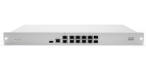
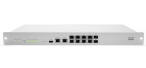
The Meraki MX60 and MX70 are next generation, cloud-managed routers for branch offices. The MX series was designed from the ground up for distributed, Internet-connected organizations with anywhere from two to 5,000 sites.

Built on Meraki's multi-tenant cloud networking platform, the MX provides centralized visibility and control of your entire network over the web. Ideal for branches with limited IT resources, the MX deploys in minutes without specialized training or certifications. The MX unifies multiple appliances and management systems and eliminates MPLS tunnels and leased lines, reducing the cost and complexity of distributed networks.

Powerful Hardware Platform


Cloud-Based Centralized Management, Built for the Branch

Network Wide Client VisibilityCentralized, real-time view of clients across your entire network

The MX's cloud-based centralized management provides unified visibility and control of network clients across all of your branches. Speed up remote helpdesk with real-time remote troubleshooting tools. Automatically monitor printer ink levels and switch ports. Identify clients by name, operating system, or device type. Retrieving MAC addresses over the phone is a thing of the past - simply search for a client by name to update port forwarding, whitelist/blacklist, and other settings in just seconds.

Control users, applications, and content

The MX provides complete control over users, content, and applications in your branch networks. Far beyond controlling hosts and ports, the MX's application-aware layer 7 packet engine enables powerful controls over your network. Block adult content and gaming. Restrict recreational bandwidth (video, peer to peer) and prioritize business critical apps like voice and video. Prevent viruses by blocking and quarantining unprotected clients.

Easy to deploy and manage without training, certifications, or on-site networking expertise

The MX was designed for ease of use, even in branches without on-site IT. An intuitive interface, contextual help, and real-time support from the cloud eliminate specialized training. To deploy the MX in remote locations, simply connect the MX to the Internet, and it will securely self-provision from the cloud. Firmware upgrades, security patches, and signature updates are all delivered seamlessly from the cloud, ensuring that the MX is always up to date. Integrating broad security and networking features into a single intuitive device drastically reduces complexity in the branch.

Eliminate MPLS costs with bonded WAN links

The MX eliminates costly MPLS tunnels and frame relay links with a secure site-to-site VPN over redundant Internet connections. Using IPSec over the Internet, the MX links your branches to headquarters as well as to one another as if connected with a virtual Ethernet cable. Configuration headaches like NAT traversal are handled automatically from the cloud. The MX's dual WAN ports with automatic failover allow you to use redundant commodity cable/DSL connections, providing more bandwidth and higher reliability than leased lines or MPLS at a fraction of the cost.

Complete Networking and Security in One Device


Cloud-Based Centralized Management

  • Browser-based management and configuration
  • Network-wide reporting, monitoring, and alerts
  • Centralized policy management
  • Real-time diagnostic and troubleshooting tools
  • Automatic firmware upgrades and security patches
  • Searchable network-wide event log
  • Real-time support from the cloud
 

Routing, DHCP and Firewall

  • Stateful firewall with NAT
  • DHCP server + static IP assignment
  • WAN Link Failover (MX70)
  • One click Port Forwarding
  • User and Device Quarantine

Layer 7 Application Firewall and Traffic Shaping

  • Asset Discovery
  • Content Filtering and URL Blocking
  • Anti-Virus and Anti-Phishing
  • Application Aware Traffic Analysis
  • Per-application QoS
  • User Identification and Fingerprinting
  • Network Access Control
 

Site to Site VPN

  • IPSec compatible
  • Intuitive, centralized configuration
  • Automatic NAT traversal

Interfaces

MX60 MX70
WAN interfaces: 1x 1000 Base-T Ethernet 2x 1000 Base-T Ethernet
LAN interfaces: 4x 1000 Base-T Ethernet 4x 1000 Base-T Ethernet
USB interfaces: 2x USB 2.0 2x USB 2.0

Performance

MX60 MX70
Stateful firewall throughput: 100 Mbps 400 Mbps
Advanced security throughput: 20 Mbps 125 Mbps
Maximum site-to-site VPN sessions: 20 100
Maximum VLANs: 4 32
Recommended for: Small Branches
(10 to 20 users)
Medium and Large Branches
(Up to hundreds of users)

MX60/MX70 Features

Network Services

  • WAN link aggregation and failover (MX70)
  • Application-level (L7) traffic analysis and shaping
  • Stateful firewall, NAT and DHCP
  • User and device quarantine

Advanced Security Services

  • Next generation application-level (L7) firewall
  • Site-to-site (IPsec) VPN
  • Content Filtering
  • Network Access Control (NAC)
  • Anti-Virus and Anti-Phishing

Physical Dimensions

  • Dimensions: 14.1" x 9.1" x 1.5"
    (430 mm x 277 mm x 45 mm)
  • Weight: 13.22 lbs (6 kg)
 

Monitoring and Management

  • Web based management and configuration
  • Throughput, connectivity monitoring and alerts
  • Network asset discovery and user identification
  • Built-in network-wide reporting, monitoring and alerts
  • Centralized policy management
  • Real-time diagnostic and troubleshooting over the web
  • Automatic firmware upgrades and security patches
  • Searchable network-wide event logs

Environment

  • Operating temperature: 32°F to 104°F (0°C to 40°C)
  • Humidity: 5 to 95% non-condensing

Power

  • Single 100W power supply

MX60/MX70 Datasheets

MX60 Datasheet (pdf) MX70 Datasheet (pdf)

RHO Wireless recommends the Meraki Mesh Solution because you need a
wireless network that Simply Work!


Copyright 2012 by Onre' Productions      Terms of Use     Privacy Statement